 |
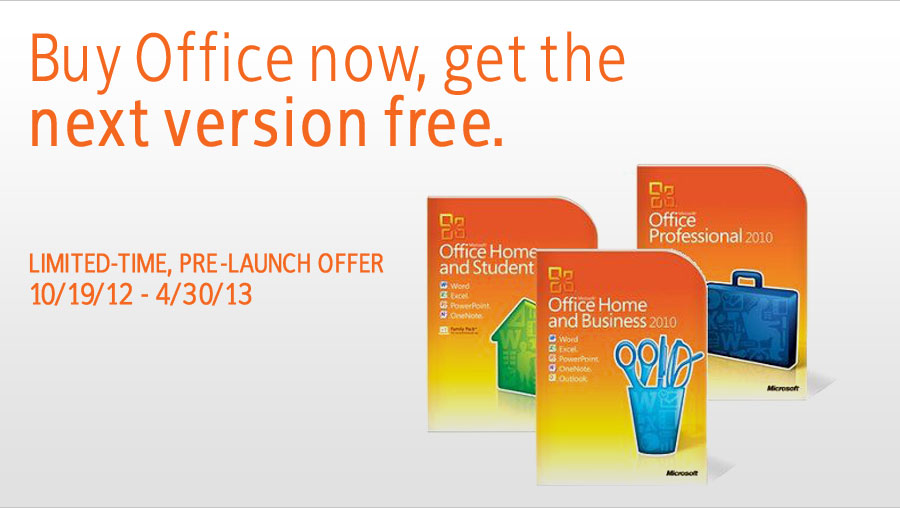 |
The Offer
When you purchase any qualifying version of Office between 10/19/12 and
4/30/13, you can download the next version of Office —
Microsoft Office 365 Home Premium or another qualifying edition—free,
as soon as it's available.
How to Get the Offer
Three steps make it easy.
 |
Buy and Activate Office –
Purchase and activate a qualifying Office product (with or
without a new PC or Mac) between 10/19/12 and 4/30/13. |
 |
Sign up for an email reminder –
Go to
www.office.com/offer and provide an email address to be notified
when the offer can be redeemed. |
 |
Download the new Office version,
when available – After the email notification is received, you
can return to >
www.office.com/offer to download the new Office. |
Introducing Office 365 Home Premium
Office when-and where-you need
it:
- A personalized Office experience – On up to 5 PCs or
Macs and on select devices, when available.
- Powerful new versions of Word, Excel, PowerPoint,
Outlook, OneNote, Publisher, and Access.
- 1-year subscription for non-commercial use.
- Connect worldwide with Skype world minutes.
Cool things you can do with Office 2010
View the video and see how Office 2010 can make your life and job easier. Learn about the new features added to PowerPoint, Word, Outlook, Excel, and OneNote, and why you have to try Office 2010
|
|
|
|
|
 |
|
10 reasons to buy Microsoft Office 2010 |
1. New improved picture formatting tools |
| Colour saturation, artistic effects, a wide range of new customizable themes and SmartArt® graphic layouts. |
| |
| |
2. File sharing and editing |
|
Co-authoring in Word 2010, PowerPoint 2010, Excel Web App, and OneNote
2010 shared notebooks enable you to edit the same file at the same time
with other people. |
| |
| |
3. Access Office anywhere |
|
Enjoy the flexibility of accessing Office from multiple devices with
Microsoft Office Web Apps, Microsoft Office Mobile and Microsoft
SharePoint Workspace 2010. |
| |
| |
4. Social Connector |
|
Use Outlook Social Connector to quickly view history of e-mails,
meetings, or attachments you receive from individuals. Get additional
information about people through SharePoint My Site, Windows Live, or
other popular third-party sites. |
| |
| |
5. PowerPoint Broadcasting |
|
The new PowerPoint Broadcast Slide Show feature enables you to present
right from your desk, while your audience views the presentation live in
their Web browser remotely. |
| |
| |
6. Data Analysis |
|
Track and highlight important trends with new data analysis and
visualization features in Excel 2010, the Sparklines feature delivers
small charts within worksheet cells. Slicers let you filter and segment
your PivotTable data in multiple layers. |
| |
| |
7. Compress emails |
|
Outlook 2010 lets you compress long e-mail threads into a few
conversations that can be categorized, prioritized, and conveniently
filed, Quick Steps lets you perform multi-command tasks, such as reply
and delete, with a single click. |
| |
| |
8. Video presentations |
|
Personalize videos for your presentations, embed and edit, trim, add
fades and effects, or bookmark key scenes videos directly in PowerPoint
2010. Videos inserted from your files are now embedded by default, so
you can share your dynamic presentations without having to manage
separate media files. |
| |
| |
9. Store, track, organize and share
|
|
Track, organize, and share text, pictures, audio and video files with
OneNote 2010. The page version tracking, automatic highlighting, and
Linked Notes new features give more control of your information. |
| |
| |
10. Centralized file management |
|
Microsoft Office Backstage™ view replaces the traditional File menu to
give you a Centralized space for all of your file management tasks,
including save, share, print, and publish. The enhanced Ribbon lets you
access commands quickly and create or customize tabs to fit your work
style. Cool things you can do with Office 2010 |
|
|
|